


Star Press
3.381.00 Reviews
App Specs
- Version
- 8.10.3
- Updated On
- License
- Free
- Downloads
- 10,000+
- Developer
- USA TODAY Co.
- Categories
- News & Magazines
- Platform
- Android
Screenshots
 Analysis by AppCompare
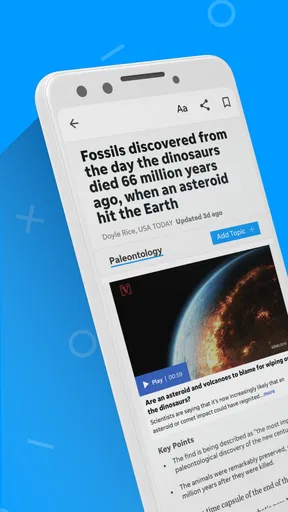
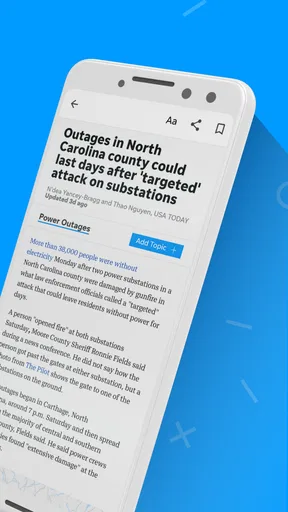
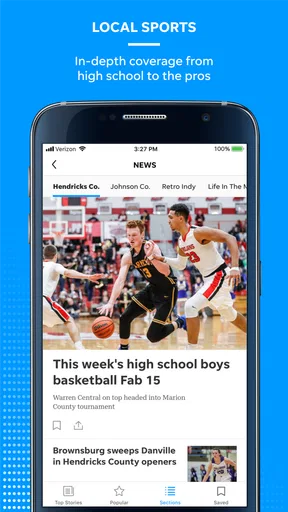
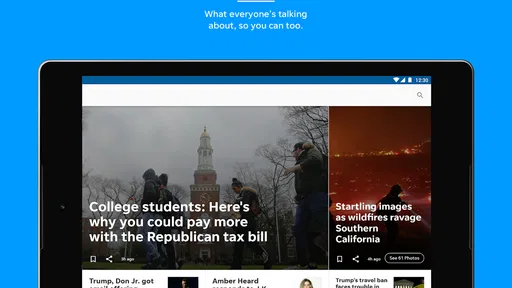
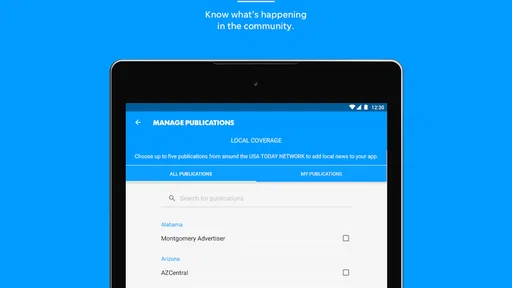
When I judge a news app, I care less about a dramatic first screen than about whether it helps me understand what is happening without making me surrender more attention than I intended. Star Press is a local and national news app from USA TODAY Co., and its appeal is the combination of community-level coverage with broader reporting. That mix can be useful when I want to check what is happening nearby and then get a wider view, but it also calls for a little care: news is personal, and the right app depends on what I read, how often I read, and what choices I am comfortable making.
Trust starts with the choices you can see
I approach Star Press as a reader, not as someone who can make claims about its unseen technical practices. I look at the app’s visible choices and the information a person can check before deciding whether to use it. The key practical question is whether the local and national coverage is worth adding to my daily reading routine. I would also review the permissions and account options shown on my own device and in the app before enabling anything I do not need. Those checks matter more than assuming that a familiar news format automatically suits every reader.
What is clear before you settle in
Star Press sits in the News & Magazines category and is free to install, with in-app purchases listed from $9.99 to $69.99 per item. Its age rating is Everyone 10+, and it has a 3.3 average from around 300 ratings. Those figures are useful context, not a verdict on whether its reporting or reading experience will fit you. The app has over 10,000 installs, was released in 2012, and its current version is 8.7.1; it requires Android 8.0 or later. I would check that requirement before downloading it onto an older device.
Permissions and account choices deserve a personal check
I would treat permissions as a device-level decision rather than grant them automatically just because an app is about news. When installing Star Press, I would read each permission prompt and ask whether the related capability is necessary for the way I plan to use it. If I only want to read articles, I would avoid enabling optional access that does not support that purpose. Permission names and available controls can vary by device, so the sensible move is to use the settings shown on your own phone and revisit them if your needs change.
The same cautious approach applies to account controls. Before creating or signing into an account, I would look at the choices presented in the app and decide whether the convenience is worth sharing the information requested. I would not assume that an account is required just because some news apps use one, or that every feature is available without one; I would check the actual prompts and options. If I decide to stop using the app, I would also look for any account-management or sign-out controls that are available rather than leaving an old session open on a shared device.
Moments when news reading gets personal
Local stories can feel more sensitive than national headlines because they may concern a neighborhood, a school, public safety, or people I know. I try to separate the convenience of seeing a story quickly from the decision to share it, comment on it, or pass it along. A headline alone is rarely enough context for a serious claim, so I would open the article, read beyond the first few lines, and compare important details with other reliable coverage before acting on it.
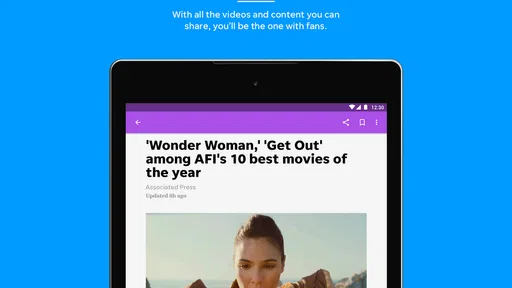
Video and photography can also make a story easier to follow, but they can take more attention and data than a quick text check. If I am on a limited mobile plan or in a quiet place, I would wait until I have a suitable connection or turn down media playback if the app or device offers that choice. I would also avoid treating a dramatic image as a complete account of an event. Rich media is useful when it adds context; it is less useful when I am only trying to scan the day’s headlines between tasks.
Worth Reading Before You Choose

EA SPORTS FC Mobile 26 Is a Bigger Football Game, but It Takes Time

Flipboard Shows What News Apps Must Do Beyond the Feed

Switching to Android Auto Means Rethinking Your Driving Routine

Google Calendar Makes a Crowded Week Easier to Manage

Ludo King Makes the Most of the Minutes Between Plans

Baby Panda World Brings Quick Play to Modern Phones, but Its Game Library Feels Busy
Keeping control of the reading routine
I find it helpful to decide in advance what I want a news app to do for me. If I open Star Press for a short local check, I can read the stories that answer that need and then close it rather than letting a stream of headlines consume the whole break. On a busy morning, I might scan local coverage first, then move to national news only if I have time. That simple order makes the app more purposeful and helps me notice whether its mix is actually relevant to my routine.
If I am unsure about a purchase, I would pause before tapping through an in-app offer and check what the screen says about the item and its price. The free install makes it easy to try the basic experience, but it does not mean every paid option is necessary. I would use the app for a few ordinary reading sessions before deciding whether any purchase offers enough value for me. That is especially important if I mainly want occasional headlines rather than a regular, in-depth reading habit.
Where it fits among news alternatives
Compared with a general national-news app, Star Press has a clearer reason to be on my phone if local reporting is part of what I want to follow. Compared with visiting a newspaper’s website in a browser, an app can make repeat reading more convenient, while a browser can be preferable when I want to avoid adding another app or want to compare several publishers in one session. Neither approach guarantees that one source covers every angle. For an important local issue, I would use Star Press as one starting point and check other dependable sources for context rather than treating a single app as my entire news diet.
The app’s 3.3 average suggests that readers’ experiences are mixed, so I would not recommend installing it solely because it carries local and national news. I would try it if those two levels of coverage match what I read, then judge the fit by the relevance and clarity of the stories I actually open. If I want a very broad international feed, a highly customizable news aggregator, or a single publication I already trust, a different option may serve me better. The best choice is the one whose coverage and controls suit my habits, not the one with the most familiar label.
First Impressions Matter
The first thing that struck me when I launched Star Press was its sleek and modern interface. The developers have clearly put in the work to make sure the game not only plays well but looks good doing it. The colors are vibrant, and the animations are smooth, which makes for a visually appealing experience right from the get-go.
As you dive into the game, you’re greeted by a tutorial that’s both informative and engaging. It’s not one of those long, dragged-out guides that make you lose interest before you even start playing. Instead, it gets straight to the point, letting you jump into the action as quickly as possible.
Gameplay That Keeps You Hooked
Now, let’s talk about the meat of the game—its gameplay. Star Press is all about solving puzzles by pressing the right sequence of stars. Sounds simple, right? Well, don’t be fooled. The puzzles ramp up in difficulty pretty quickly, and that’s where the challenge lies.
Each level presents a unique pattern, and it’s up to you to figure out how to press the stars in the correct order. It’s a fantastic blend of strategy and quick thinking, and I found myself lost in it for hours. The satisfaction of completing a tough level is genuinely rewarding, and it kept me coming back for more.
A Few Words on Features
One of the standout features of Star Press is its level variety. The game doesn’t just throw the same puzzles at you over and over again. Instead, it introduces new mechanics and challenges as you progress, keeping the experience fresh and exciting.
There’s also a hint system in place for when you’re truly stuck, which I found to be a lifesaver on more than one occasion. It’s a great way to keep the game accessible without making it too easy.
Another nifty feature is the daily challenges. These offer bonus puzzles that you can tackle every day for extra rewards. It’s a neat little addition that encourages you to check in regularly and keeps the game feeling dynamic.
The Social Side
If you’re someone who enjoys a bit of competition, you’ll be pleased to know that Star Press includes leaderboards and achievements. You can compare your progress with friends or other players around the world, adding an extra layer of motivation to improve your skills.
Sharing your achievements on social media is also a breeze. The app integrates smoothly with Facebook and Twitter, so bragging about that impossible level you just conquered is just a tap away.
Final Thoughts
All in all, Star Press is a gem of a puzzle game that’s well worth your time. Its addictive gameplay, combined with stunning visuals and a host of features, makes it a must-download for anyone looking to test their wits.
Whether you’re a casual gamer or a puzzle aficionado, you’re bound to find something to love in this app. So why wait? Dive into the world of Star Press and see if you have what it takes to solve every puzzle!
Pros
- Intuitive user interface that's easy to navigate.
- Wide variety of levels to keep you engaged.
- Regular updates with new content and features.
- Minimal ads for a smoother gaming experience.
- Compatible with a range of devices.
Cons
- Occasional in-app purchase prompts.
- Requires constant internet connection.
- Some levels can be repetitive over time.
- Limited customization options for characters.
- Battery consumption can be high during play.
FAQs for Star Press
What is the main objective of Star Press?
Star Press is a captivating puzzle game where the primary goal is to align stars by rotating the game board. Players must strategically plan their moves to achieve the highest score possible. The game challenges your problem-solving skills with increasing levels of difficulty as you progress.
Is Star Press free to play, or does it require in-app purchases?
Star Press is free to download and play, but it does offer in-app purchases. These purchases can enhance the gaming experience by unlocking special features, removing ads, or providing extra lives and hints. However, these are entirely optional and not necessary to enjoy the game.
What platforms is Star Press available on?
Star Press is available on both Android and iOS platforms, making it accessible to a wide audience. You can download it from the Google Play Store for Android devices and the Apple App Store for iOS devices. Ensure your device meets the minimum system requirements for optimal performance.
Does Star Press require an internet connection to play?
Star Press can be enjoyed offline, allowing you to play without an internet connection. This feature makes it a convenient option for users who want to play while commuting or in areas with limited internet access. However, certain features, like leaderboards and updates, may require connectivity.
How can I contact support if I encounter issues with Star Press?
If you experience any issues with Star Press, you can contact the support team via the app or through the developer's official website. Look for the 'Help' or 'Support' section within the app for guidance. The team is responsive and dedicated to resolving user concerns promptly.


